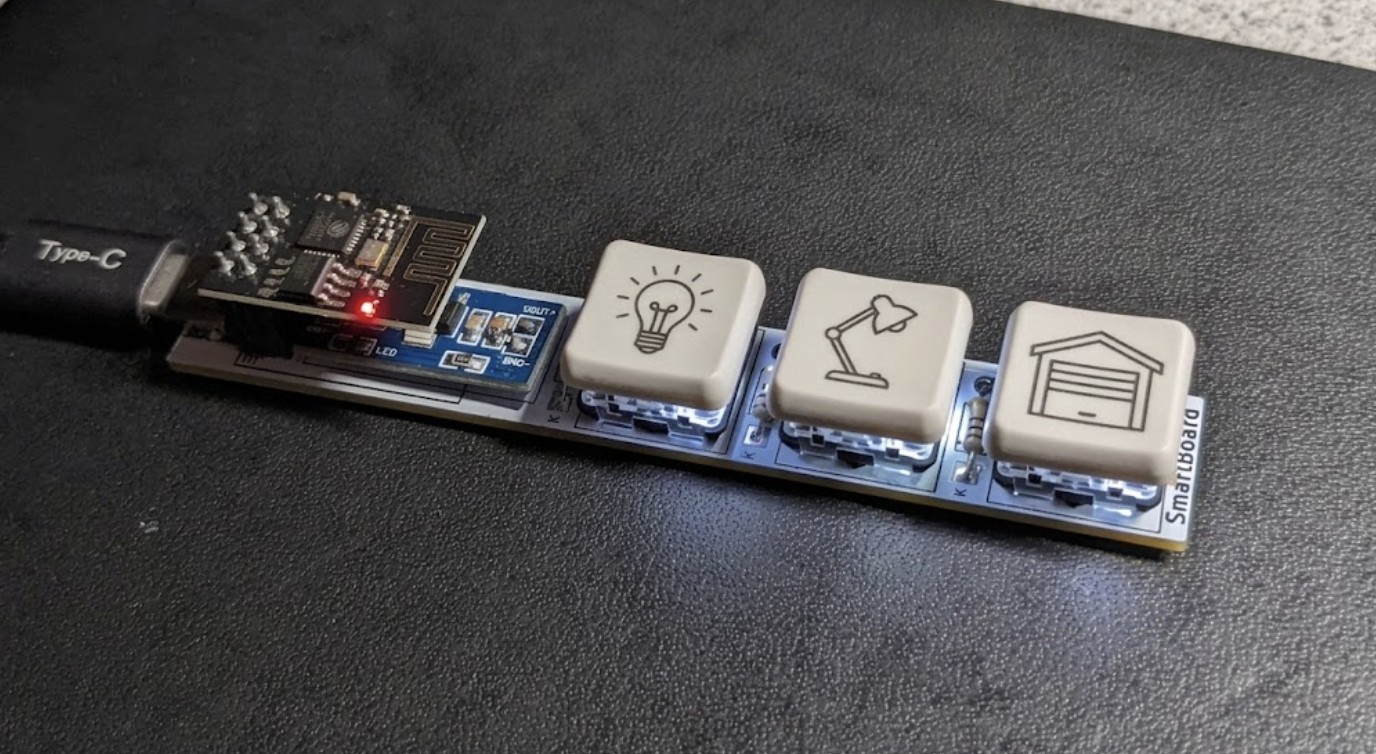
IoT Keyboard
A three-key keyboard on a custom PCB that controls smart devices over Wi-Fi.
I was inspired by the ergogen.xyz site, where DIY ergonomic keyboards are designed from scratch. I wanted to build a small board of my own, but with an ESP-01 in place of the Arduino Nano used there, so the keys can trigger things from anywhere with an internet connection.
Where it started
The idea came from ergogen.xyz, a site for designing your own keyboard layouts. I chose an ESP-01 as the microcontroller instead of the Arduino Nano used there, because it lets the device work anywhere it can reach the internet.
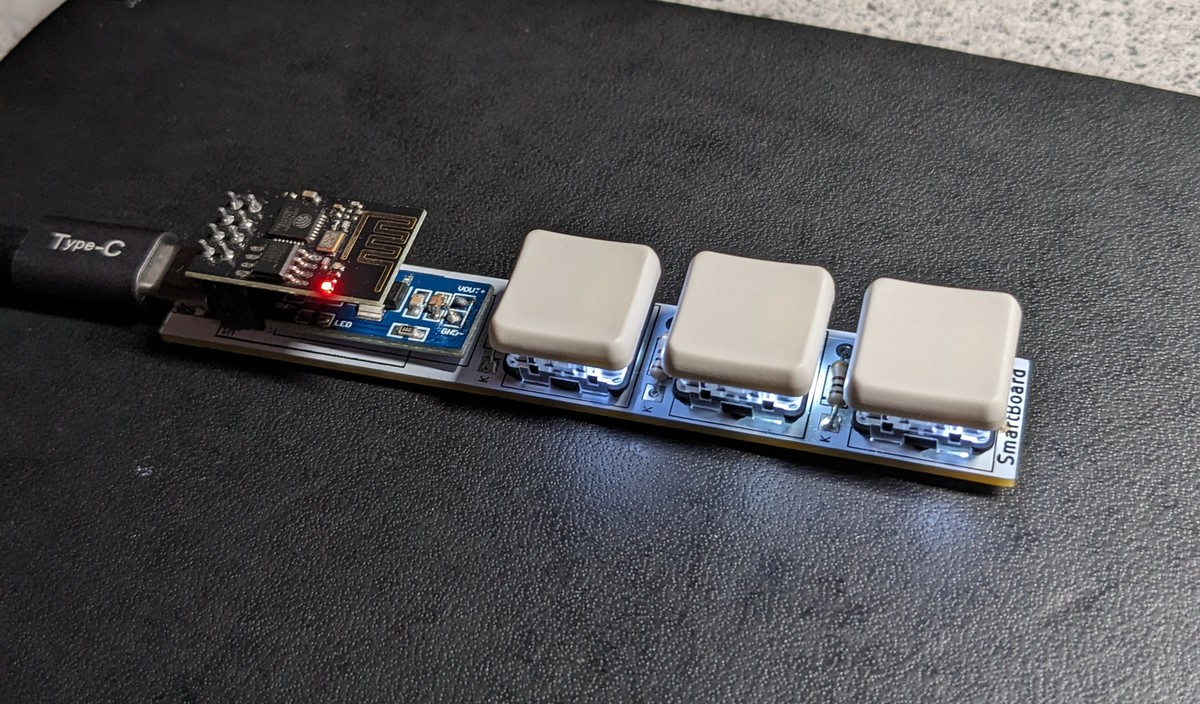
The hardware
I first planned a single key switch, then decided that was not practical and went with three low profile Kailh switches and white low profile keycaps. Each switch is lit by an SMD LED mounted underneath.
Power comes in through a female USB-C port, and a 5V to 3.3V converter board supplies the ESP-01 that runs everything.
PCB design
The circuit and PCB were designed in KiCad and manufactured by JLCPCB. I picked a white PCB with black silkscreen to match the white keycaps and white LEDs.
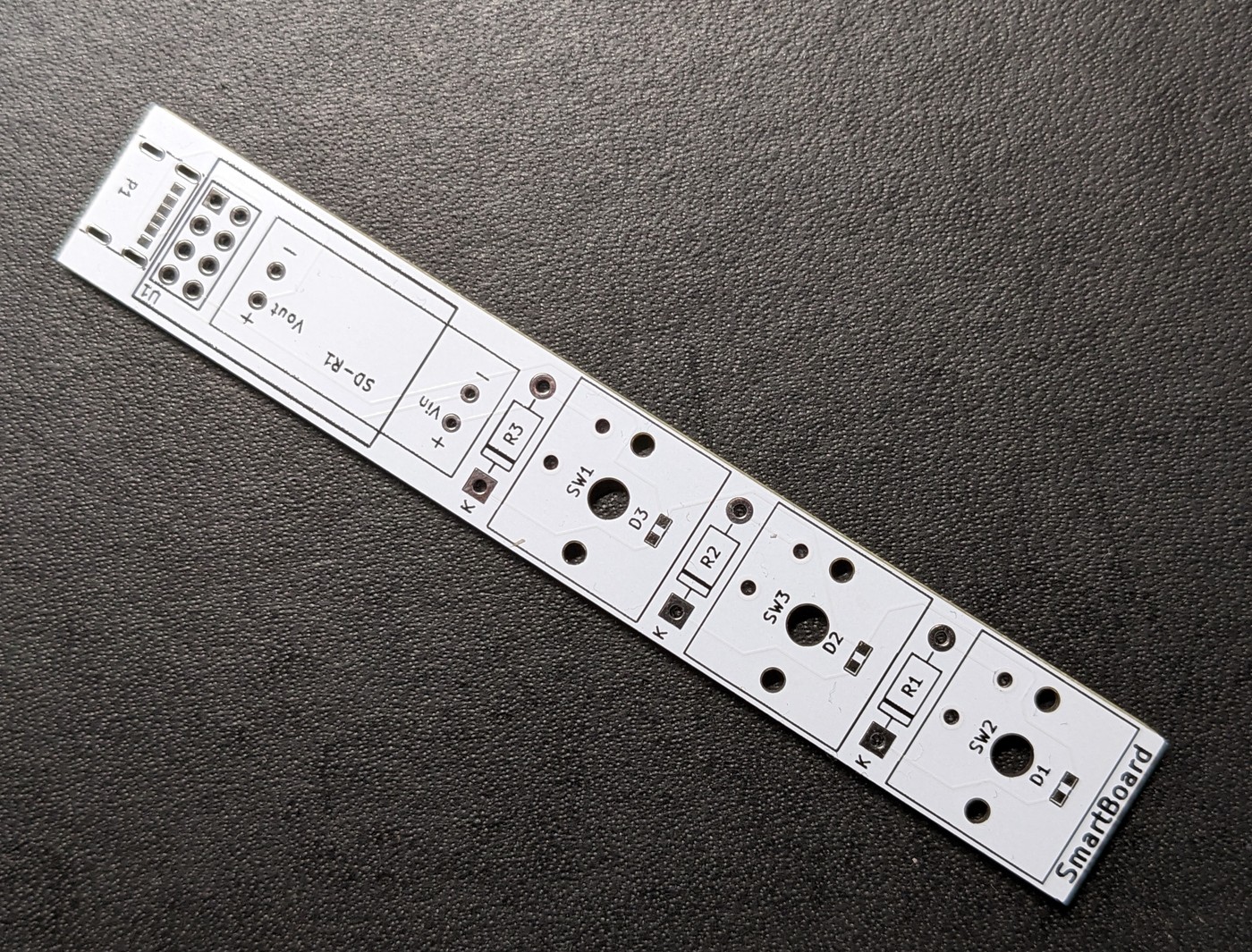
What it controls
The intended use is controlling IoT devices through an MQTT broker, or Home Assistant if I can get hold of a Raspberry Pi. So far I have tested it by having a key call the WLED API.
Future plans
I would like to add a design to the top of each keycap to show what it does. The method I plan to use is laser printing: a layer of plastic dust is spread over the cap, and a laser mounted on my 3D printer melts the image into the surface.